
Case Study · CodeLoop product
seeQRmenu case study
seeQRmenu (internally MenuOnScan) is a QR digital menu product CodeLoop Studio designed, built, and still owns. Restaurants, cafés, bars, and hotels send their current menu — we turn it into a branded phone experience guests open with a camera scan.
No guest app. No reprint cycle. One QR code on the table, a live menu in the browser, and a dashboard for prices, photos, and sold-out items. See the live product at seeqrmenu.com.
Tools used:
- QR menus
- Mobile-first web
- Hospitality UX
- Admin dashboard
- Guest access
Product overview
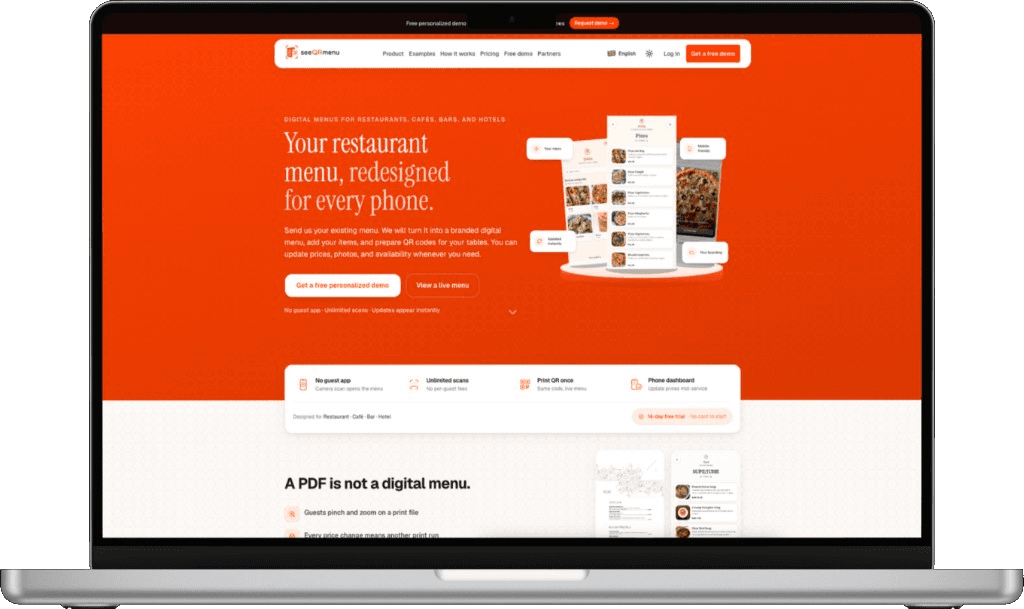
Most “QR menus” are still a PDF behind a code. Guests pinch and zoom. Every price change means another print run. seeQRmenu is a real mobile-first web product: the camera opens a branded digital menu built for the phone in the guest’s hand.
CodeLoop Studio owns the full stack — guest menu, QR generation, venue dashboard, theme system, and the public site. That is why this case study is not a client handoff. It is a product we operate, iterate, and sell. Start on the seeQRmenu homepage, browse a live guest menu, or request a personalized demo with your own logo and dishes.
No guest app
Camera scan opens the menu in the browser.
Unlimited scans
No per-guest fees as tables turn.
Print QR once
The same code stays live when the menu changes.
Phone dashboard
Update prices and hide sold-out items mid-service.
Challenge and goals
Hospitality teams needed something faster than a designer export and clearer than a scanned PDF. The goal was a QR menu for restaurants that feels like the venue — categories, photos, allergens, languages — without asking guests to install anything.
We designed around one-handed use at the table: obvious sections, readable type in mixed light, and instant updates after a price change. The guest surface had to load fast on average phones; the operator surface had to let staff publish without waiting on an agency. That split — guest menu vs. seeQRmenu admin — shaped the whole product.
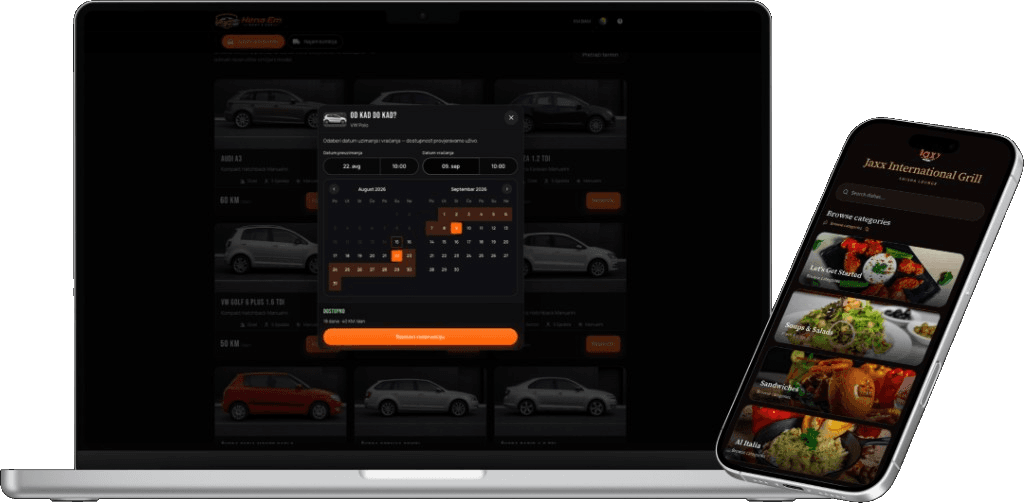
From paper to a live QR menu
The public product walkthrough on seeqrmenu.com is the same loop we built for launch:
01
Send the current menu
PDF, photo, or a link — however the menu exists today.
02
Review a branded preview
We build categories, items, and your identity before you commit.
03
Place QR codes on tables
Print-ready codes. Guests scan; the menu opens in the browser.
04
Update whenever you need
Prices, sold-out dishes, new specials — the printed code does not change.
Target audience
- Restaurants and cafés replacing printed or PDF menus with a QR digital menu.
- Bars and hotels that need the same code on every table, with live prices.
- Guests who should browse dishes on their own phone — no app store step.
- Groups and chains that need extra venues, branding, or a custom menu domain.
- Operators comparing hospitality UX products who want a demo on real items, not a generic template.
Admin, themes, and brand presets
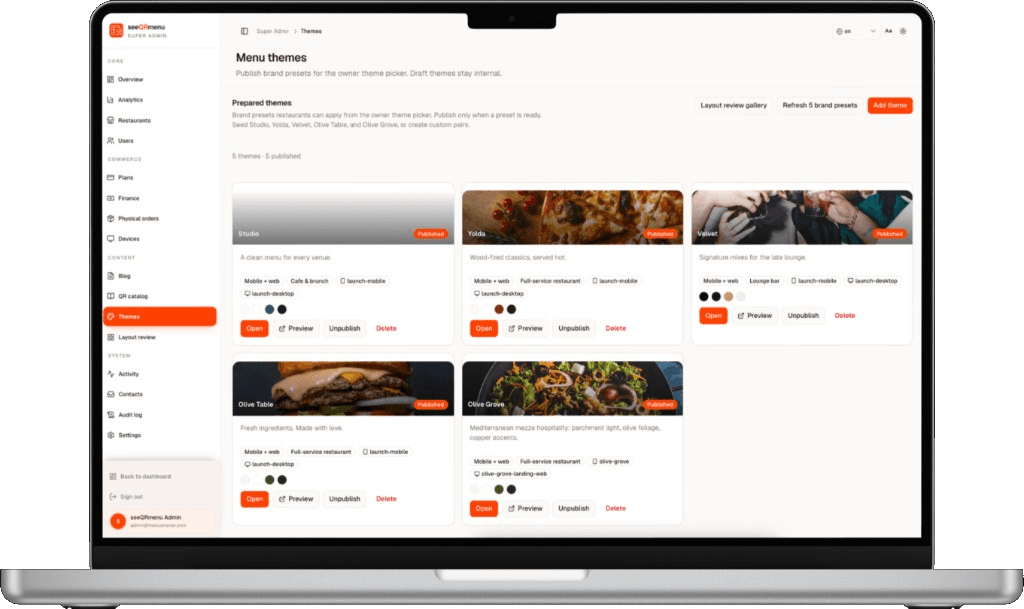
Venues should look like themselves, not a stock template. Super Admin publishes menu themes — Studio, Yolda, Velvet, Olive Table, and more — as brand presets the owner can pick. Draft themes stay internal until they are ready. That system lives behind seeQRmenu and is how we keep guest menus on-brand at scale.
Technological aspects
seeQRmenu is a web platform: a fast guest menu reached from a QR code, plus operator tools for catalog, themes, QR assets, and live edits. We optimized first paint for mixed restaurant networks, kept information architecture thumb-friendly, and made updates appear without reprinting plastic. Plans on the product site run from a view-only Starter menu through Pro (guest table ordering, galleries, branded QR) to Enterprise (custom domain such as menu.yoursite.com, extra venues, account management).
Because CodeLoop both ships client software and runs this product, the same product engineering practice — UX, web performance, admin workflows — is what restaurants get when they open seeQRmenu.
Live website
Current public landing page for seeQRmenu. Click the viewport to open the live site.
Conclusion
seeQRmenu is CodeLoop Studio’s QR digital menu product — guest experience, dashboard, and go-to-market site included. A PDF is not a digital menu. This one is built for the phone at the table, with QR codes that outlast the next price change.