
Case Study
Hena Em — Rent a car
Hena Em needed more than a brochure with a phone number. We designed and built a complete rent-a-car product: a dark, orange-branded public site where customers browse the fleet and reserve a car or van, plus an admin panel that runs the business day to day.
Booking, availability, fleet, gallery, add-ons, reservation calendar, and automated emails sit in one system — so a reservation on the site is the same record the team sees in the dashboard.
Tools used:
- Online booking
- Fleet admin
- Cars & vans
- Gallery CMS
- Email automation
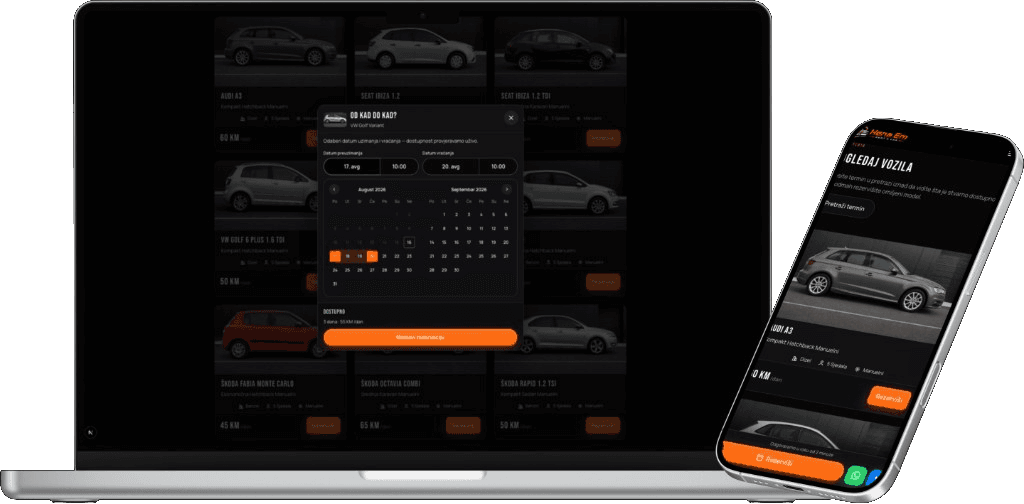
Product overview
The public site is the shop window and the booking desk. Customers switch between cars and vans, read specs (fuel, seats, transmission), see the daily rate in KM, and open a date-range picker that calculates the total before they continue. On mobile, a sticky reserve button sits next to WhatsApp so a question never kills the booking.
Online booking
Pickup and return dates, dual-month calendar, live “available” state, and days × daily rate before confirm.
Fleet management
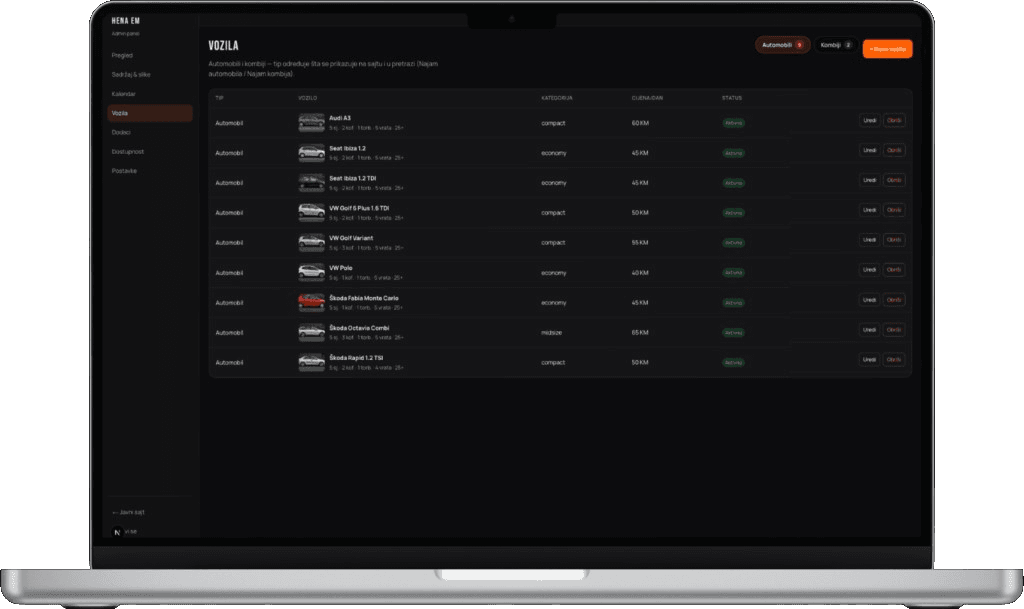
Admin list of vehicles with type, category, photos, price per day, active/inactive status, edit and delete.
Reservations calendar
A visual calendar of booking periods so the desk sees who has which car, and when it returns.
Availability
A reserved car drops out of search for overlapping dates. Staff can also mark units unavailable.
Gallery & content
CMS for vehicle photos, site copy, and images — the public cards stay in sync with the fleet record.
Automated emails
Confirmation on booking, reminders before pickup, and a follow-up that asks for a review.
Add-ons
GPS, child seats, insurance and extras managed in admin and offered during reservation.
Reviews & contact
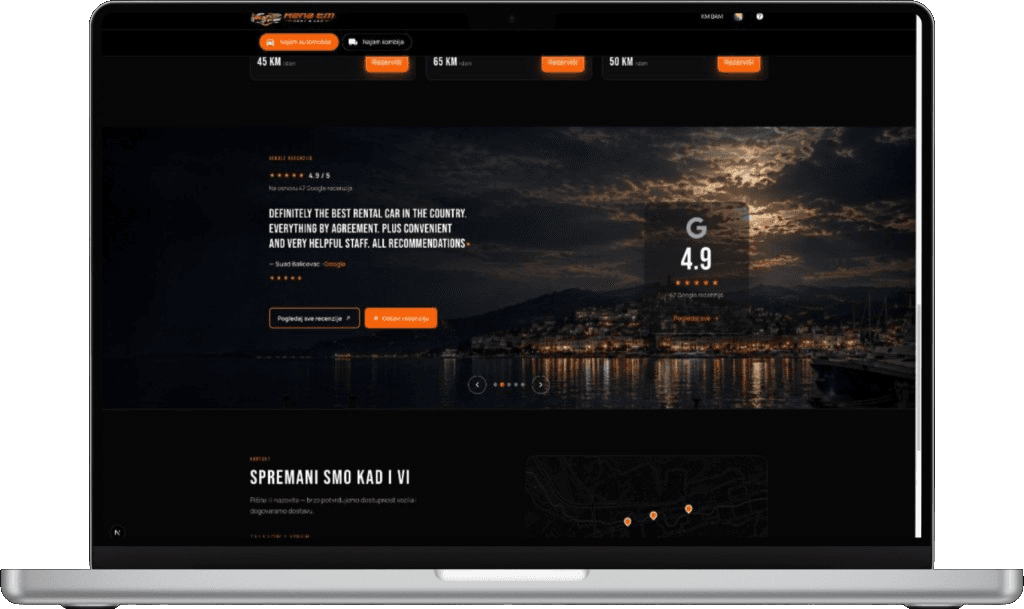
Google rating on the site, testimonial carousel, map of pickup points, and WhatsApp on mobile.
Challenge and goals
Most rent-a-car desks still run on Viber, Excel, and a static website. That leaks bookings: no live availability, no price for a date range, no single place for photos, and no trail when a customer asks “is the Golf free Thursday?”
The goal was a product the public can finish alone — pick a vehicle, pick dates, reserve — and a dark admin the team actually uses: vehicles, add-ons, calendar, content, and settings. Orange is the brand action colour on both sides, so the desk and the customer are looking at the same company.
How a reservation runs
01
Browse the fleet
Cars or vans, specs and photos, compact / economy / midsize, price per day in KM.
02
Choose dates
“From when to when?” calendar, time pickers, availability check, automatic day count and total.
03
Confirm the booking
Customer details, optional add-ons, then a reservation that locks the vehicle for those dates.
04
Mail and the desk
Confirmation email goes out automatically. The calendar and vehicle status update in admin without a second entry.
Target audience
- Drivers booking a car or van for a trip, with dates and a price before they call.
- Repeat customers who already know the fleet and want a faster reserve path.
- People on a phone who would rather WhatsApp a question than abandon the form.
- The Hena Em desk managing vehicles, add-ons, photos, and the day’s reservations.
Technological aspects
Two surfaces, one data model. The public site is a dark, mobile-first web app: fleet catalog, cars-versus-vans switch, currency (KM BAM), language, booking modal, Google reviews, map, and WhatsApp. The admin is a fleet OS — overview, content and images, calendar, vehicles, add-ons, availability, settings — with a door back to the public site. Reservations write availability; transactional email covers confirmations, pickup reminders, and review requests so the inbox is not the booking system.
Public site
Testimonials, Google rating, review CTAs, and the contact block with pickup map — the trust layer that sits under the fleet grid.
Conclusion
Hena Em now runs rentals the way a modern desk should: customers book online, the calendar tells the truth, photos and prices live in one gallery, and mail goes out without someone copying a template. The orange on the reserve button is the same orange on “new vehicle” in admin — one brand, one system.