
Services · Hybrid
Hybrid apps — web UI inside a native store shell
One HTML/CSS/JS codebase packaged for the App Store and Google Play. Updates can ship faster than native; the UI is still a WebView, not Flutter widgets or React Native views.
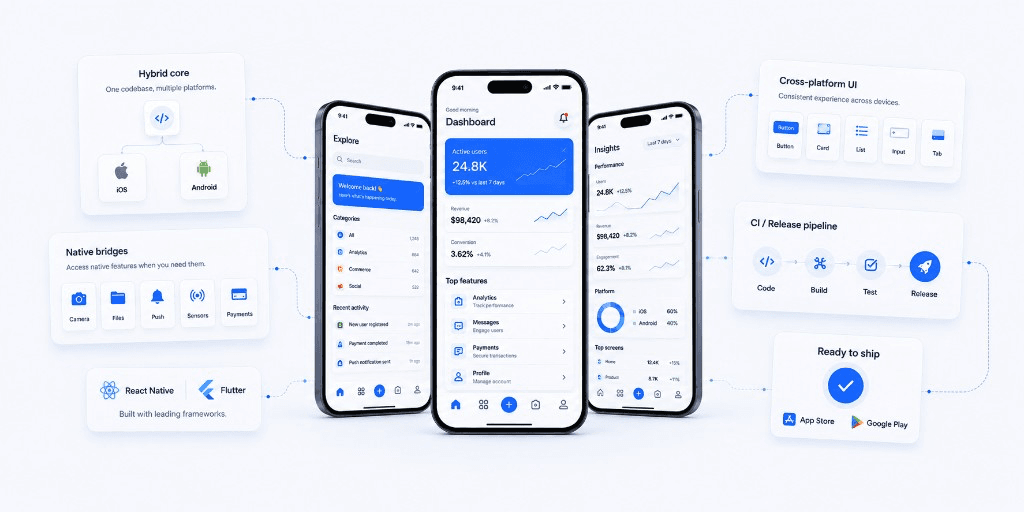
Hybrid here means web technologies running inside a native container (Capacitor-style): you get store listings, push, and a few device APIs, while the interface is still the web you already know. That is a different trade-off from Flutter or React Native, which compile to native-feeling UI instead of a WebView. It is also different from a PWA, which never needs the stores. We use hybrid for content-heavy products, internal tools, and MVPs where a shared web UI and quick OTA-style updates beat pixel-perfect platform chrome. Custom mobile app development is the stack-agnostic commercial page; this one is only the WebView-in-a-shell path.
This service is delivered by CodeLoop Studio (Codeloop) in Sarajevo. Studio overview, recent work, and FAQs live on the Codeloop homepage.
What you get
- Shared web UI and business logic across iOS and Android
- A native shell for store distribution, icons, and splash screens
- Bridges for camera, files, push, and device APIs when a WebView is not enough
- Faster release cycles than maintaining two native codebases
- Honest advice when a screen should move to native or to Flutter/React Native
- Secure packaging and store-ready builds
How we work
Step 1
Fit assessment
We check performance, offline, and UX needs so a WebView shell will not fail you in month three.
Step 2
Shell & core
Native container, shared web core, and CI that produces both store binaries.
Step 3
Ship & iterate
Device QA plus a plan for store releases or faster web-layer updates.
When this fits
Choose hybrid when you want both stores without two native teams, and you can live with web rendering. If you need 60fps lists, complex gestures, or OS-native chrome, use native or Flutter/React Native instead. If you do not need the stores at all, a PWA is simpler.