
Our products
Loop Jumper: Code Break
Mini game in the editor sidebar
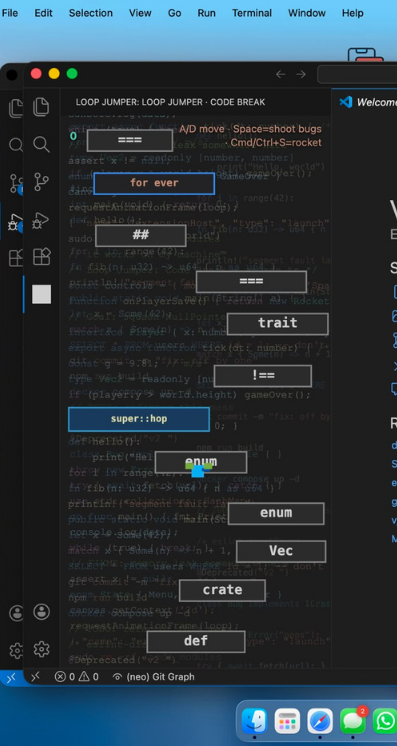
Loop Jumper: Code Break is a Doodle Jump–style mini game that runs in the sidebar of Visual Studio Code and Cursor — a quick break between coding sessions.
Climb code-themed platforms, dodge bug enemies, and rack up your score without leaving the editor.
Built with:
Product overview
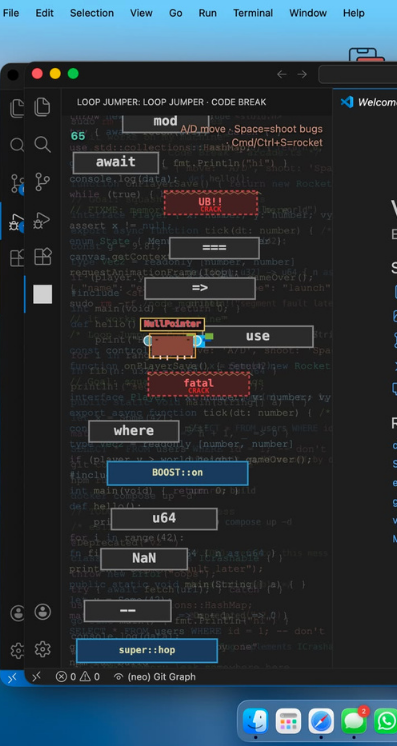
After a long compile or a stubborn bug, the last thing you want is another tab. Loop Jumper lives where you already are: the Activity Bar. Open the panel, pick a skin, and climb. Platforms read like code — enum, await, super::hop — and the enemies are named after the things that ruin a build.
How to play
- Open the game. Click the Loop Jumper icon in the Activity Bar. The Loop Jumper · Code Break panel opens in the sidebar.
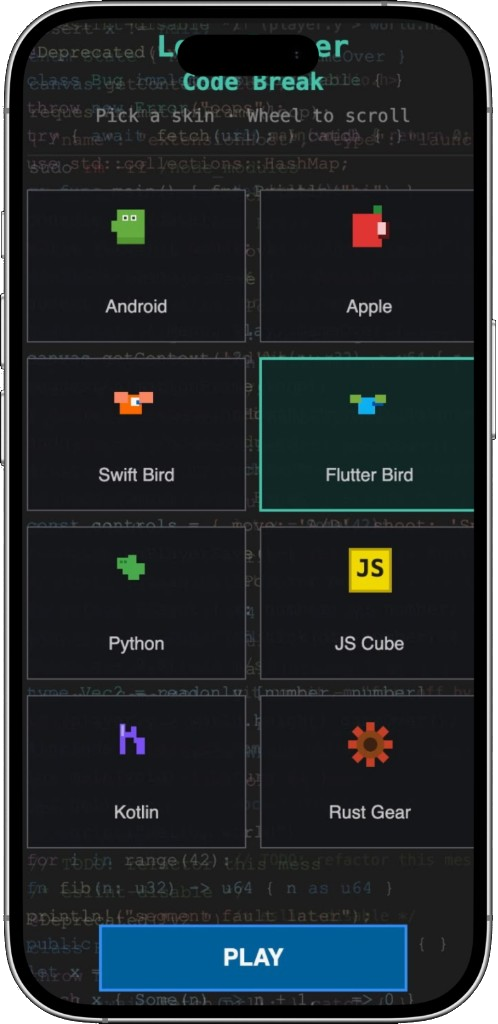
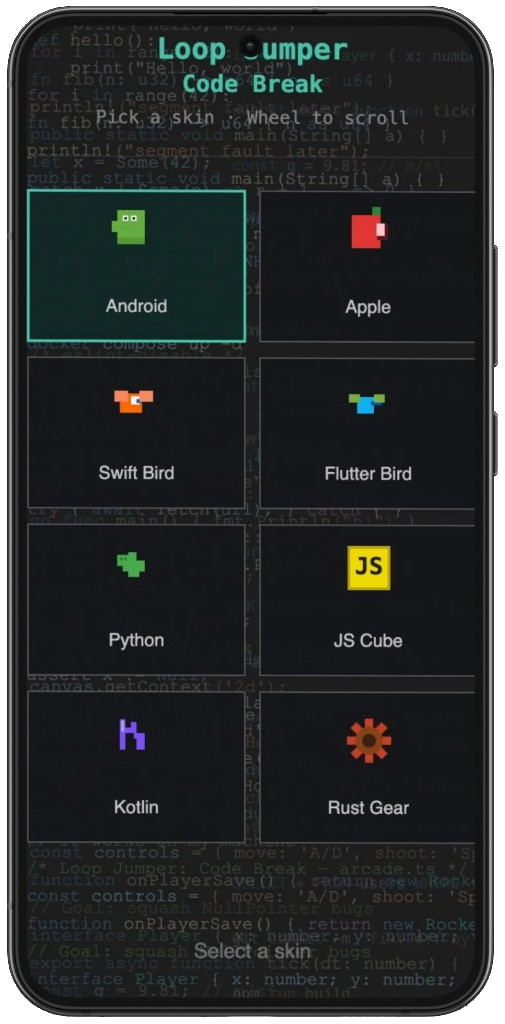
- Start a run. Scroll the skin list if needed (mouse wheel). Click a skin to select it — Play appears. Click Play, or press Enter when Play is available.
- Stay focused. Click the game canvas once if keys don’t respond.
Controls
| Action | Input |
|---|---|
| Move left / right | A / D or ← / → |
| Shoot | Space |
| Rocket boost | Save the active file Ctrl+S / Cmd+S while playing |
Rules & tips
- Land on platforms to jump. Springs bounce higher. Some platforms move sideways.
- Cracked platforms collapse shortly after you land — plan the next jump.
- Bugs (e.g. NullPointer, Merge Conflict) end the run on contact — avoid or shoot them.
- The view only follows you upward. Fall too far below the screen and it’s Game Over.
- Shooting bugs adds bonus points to your score.
After Game Over: Play again keeps the same skin for a new run. Main menu lets you change skin or return to the title screen.
Features
- Arcade climbing with syntax-themed platforms and bug enemies
- Skins — Android, Apple, Swift, Flutter, Python, JS, Kotlin, and Rust
- Rocket boost when you save a file (fits the “save often” habit)
- Shoot enemies with semicolon shots
- Audio feedback for jumps, shots, and game over
Install
From the Marketplace (recommended)
- Open Visual Studio Code or Cursor.
- Open the Extensions view (Ctrl+Shift+X / Cmd+Shift+X).
- Search for Loop Jumper: Code Break (or CodeLoop / loop jumper).
- Click Install on the extension published by StudioCodeLoop.
- Reload the editor if prompted.
After installation, click the Loop Jumper icon in the Activity Bar (left) to open the game.
From a .vsix file
- Download
loop-jumper-0.0.2.vsix(or the latest version). - In VS Code / Cursor: Extensions → ⋯ → Install from VSIX…
- Select the .vsix file and confirm.
- Reload if asked, then open the game from the Activity Bar.
Run & test from source
npm install
npm run compile
Then press F5 (or Run → Start Debugging) with configuration Run Extension. A new Extension Development Host window opens — use that window to play and test.
To build a package for upload:
npm run packageThis creates loop-jumper-0.0.2.vsix in the project root.
About CodeLoop
We are a team of passionate developers and designers. CodeLoop is a software development agency specializing in exceptional digital experiences. We combine technical expertise with creative design to deliver solutions that drive business growth — from mobile apps and websites to dashboards and AI-integrated software.
- Studio
- CodeLoop
- Extension
- Loop Jumper: Code Break
- Publisher
- StudioCodeLoop
- Version
- 0.0.2
MIT — Copyright © CodeLoop.